
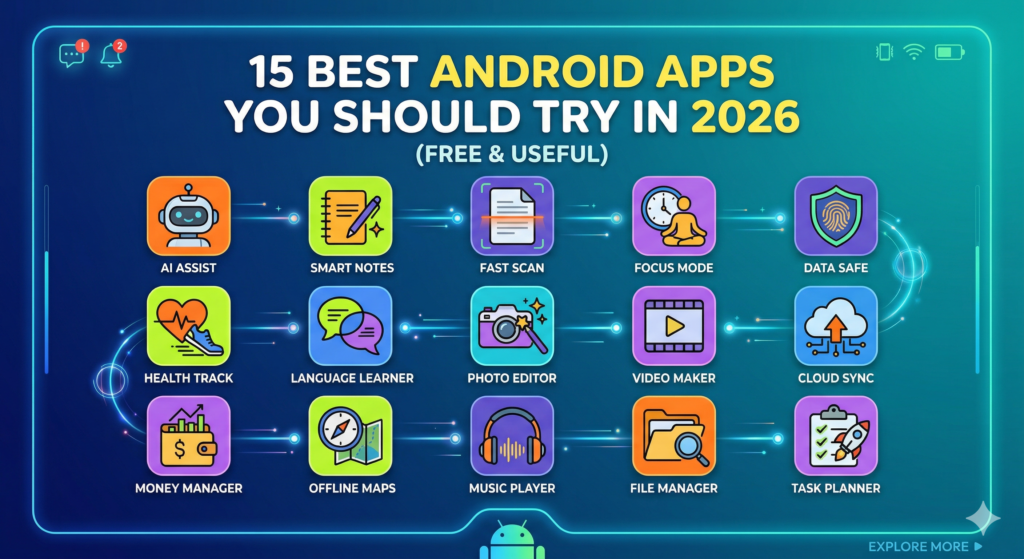
Introduction
In our fast-paced digital world, having the right tools at your fingertips can make a significant difference. As we step into 2026, Android users have access to a plethora of applications designed to enhance productivity, entertainment, and daily convenience. But with so many options available, it can be overwhelming to find the best ones that suit your needs.
This article showcases the 15 best Android apps you should try in 2026. Each app is not only free but also incredibly useful in its own right, whether for managing your tasks, improving your finances, or simply having fun. So, let’s dive in and explore these must-have apps that can transform your Android experience!
Importance of Choosing the Right Apps
Selecting the right apps for your Android device can bring numerous benefits:
- Enhanced Productivity: Apps that help you organize tasks or notes can streamline your day, making it easier to focus on what truly matters.
- Improved Entertainment: Quality apps can enrich your leisure time, providing you with enjoyable content and activities.
- Better Organization: With the right tools, managing your finances, health, or daily activities becomes much simpler.
- Personalization: Apps allow you to customize your smartphone experience, tailoring it to your lifestyle and preferences.
With the importance of choosing the right apps in mind, let’s move on to the top 15 Android apps for 2026!
1. Notion
What It Is
Notion is a versatile productivity app that combines notes, tasks, databases, and calendars all in one place. It’s perfect for both personal organization and team collaboration.
Why You Should Try It
With Notion, you can customize your workspace to fit your needs. Whether you’re tracking projects, creating to-do lists, or writing notes, it adapts to your workflow quickly.
Practical Example
For instance, imagine you’re working on a group project. You can create a shared workspace where everyone can contribute ideas, assign tasks, and keep track of deadlines. It’s like having a digital office right in your pocket!
2. Trello
What It Is
Trello is a project management app that uses boards, lists, and cards to help you organize tasks and projects visually.
Why You Should Try It
The intuitive drag-and-drop interface makes it easy to see what needs to be done, who’s responsible, and what the next steps are.
Practical Example
For example, if you’re planning an event, you can create a board for all the tasks involved, ranging from booking a venue to sending invitations. You can assign these tasks to different team members, ensuring everyone stays on track.
3. Mint
What It Is
Mint is a personal finance app that helps you manage your budget, track spending, and monitor your investments.
Why You Should Try It
Its user-friendly interface allows you to gain insights into your financial habits while offering tools to help you set and achieve financial goals.
Practical Example
Imagine getting alerts for upcoming bills or identifying where you spend the most money each month. Mint helps you stay aware of your financial situation, so you can make smarter decisions.
4. Spotify
What It Is
Spotify is a leading music streaming service that allows you to listen to millions of songs and podcasts.
Why You Should Try It
With personalized playlists and music discovery features, it’s perfect for music lovers who want to explore new genres and artists constantly.
Practical Example
For example, you can create a playlist for your workouts or discover up-and-coming artists through Spotify’s curated playlists. Plus, with podcasts included, you’ll never run out of content to enjoy.
5. Sleep Cycle
What It Is
Sleep Cycle is an innovative app designed to analyze your sleep patterns and help you wake up feeling refreshed.
Why You Should Try It
The app tracks your sleep cycles and wakes you up during the lightest sleep phase to ensure you start your day on the right foot.
Practical Example
By simply placing your phone on your bed, Sleep Cycle uses motion sensors to monitor your movements and provide insights. Imagine waking up naturally, feeling alert and ready for the day!
6. Duolingo
What It Is
Duolingo is a language-learning app that turns learning a new language into a fun game.
Why You Should Try It
With bite-sized lessons and interactive exercises, you can learn a new language at your own pace.
Practical Example
Let’s say you want to learn Spanish. Duolingo allows you to practice speaking, listening, and writing all in a structured format. You’ll be chatting away in no time!
7. Google Drive
What It Is
Google Drive is a cloud storage service that allows you to store files, access them from anywhere, and collaborate with others.
Why You Should Try It
It’s an excellent solution for keeping your documents organized and accessible, whether you’re working alone or in a team.
Practical Example
For instance, if you’re working on a presentation with colleagues, you can share the document and edit it in real-time, avoiding the hassle of email back-and-forths.
8. WhatsApp
What It Is
WhatsApp is a messaging app that uses the internet to send messages, images, and videos, as well as make voice and video calls.
Why You Should Try It
Its end-to-end encryption means your conversations are private, while group chat features make it easy to stay connected with friends and family.
Practical Example
Imagine organizing a family gathering through a group chat. You can coordinate plans, share photos, and keep everyone in the loop effortlessly!
9. Evernote
What It Is
Evernote is a powerful note-taking app that helps you organize your thoughts, lists, and documents in one place.
Why You Should Try It
With various features like text formatting, image attachments, and voice notes, it’s perfect for capturing ideas as they come to you.
Practical Example
Whether you’re a student taking lecture notes or someone brainstorming for a project, Evernote allows you to organize information efficiently. You’ll wonder how you ever lived without it!
10. CamScanner
What It Is
CamScanner is a mobile scanner app that lets you scan documents and convert them into PDF files.
Why You Should Try It
This app is a lifesaver for anyone who needs to digitize physical documents quickly while maintaining quality.
Practical Example
Picture this: you receive a printed document you need to email. With CamScanner, you can instantly scan it, edit if necessary, and share it all from your phone.
11. Canva
What It Is
Canva is a graphic design app that makes creating stunning visuals easy, even if you’re not a designer.
Why You Should Try It
With an array of templates for social media posts, presentations, and flyers, you can whip up beautiful graphics for any occasion.
Practical Example
Let’s say you want to promote an event on social media. Canva allows you to create eye-catching images or videos that grab attention and drive engagement.
12. Google Maps
What It Is
Google Maps is a navigation app that helps you find directions, nearby places, and traffic updates.
Why You Should Try It
It provides accurate, real-time GPS and can save you time while commuting or exploring new areas.
Practical Example
Planning a road trip? Google Maps can help you find the best routes, as well as nearby restaurants and attractions, ensuring a smooth experience.
13. Pocket
What It Is
Pocket is an app that allows you to save articles, videos, and stories from the web for later viewing.
Why You Should Try It
If you come across interesting content but don’t have time to consume it immediately, Pocket makes it easy to save it for later.
Practical Example
Imagine you read an intriguing article but need to get to a meeting. With Pocket, you can save it and come back when you have a moment to spare.
14. Adobe Scan
What It Is
Adobe Scan is another mobile scanning app that enables users to scan receipts, notes, business cards, and more.
Why You Should Try It
Its advanced text recognition (OCR) technology can convert scanned documents into editable text, making it incredibly useful.
Practical Example
If you want to digitize handwritten notes, Adobe Scan can capture them and convert them into a Word document or PDF, making it easy to organize your study material.
15. Todoist
What It Is
Todoist is a task management app that helps you organize your daily tasks and projects.
Why You Should Try It
Its clean interface and powerful features, such as setting due dates and reminders, make it a go-to app for productivity.
Practical Example
Imagine needing to complete various tasks throughout the week. With Todoist, you can prioritize them, set deadlines, and even collaborate on shared projects, all from a single app.
FAQ Section
1. Are all these apps really free?
Yes, all the apps listed offer free versions with essential features, though some have paid upgrades for advanced functionalities.
2. How do I choose which apps to download?
Consider your personal or professional needs. Review app descriptions, user ratings, and recommended features to find what’s best for you.
3. Can I use these apps offline?
Most of these apps provide offline features, but functionality may vary. Check each app’s settings for offline accessibility.
4. How do I keep my apps updated?
Ensure you have automatic updates enabled in the Google Play Store, or you can manually check for updates regularly.
5. Will using many apps slow down my phone?
Not necessarily. As long as your phone has enough storage and memory, you can enjoy multiple apps without impacting performance.
6. Are there alternatives to these apps?
Absolutely! Many similar apps offer comparable features. It’s worth exploring different options to find the best fit for your style.
7. How can I maximize the benefits of these apps?
Explore the app features, customize settings, and regularly engage with the app to understand how it serves you best.
Conclusion
In 2026, the right apps can greatly improve your life, making daily tasks simpler and more efficient. From productivity to entertainment, each of the 15 best Android apps we’ve discussed provides unique benefits that can enhance your smartphone experience.
So, why not try downloading a couple of these apps today? Explore the features, personalize your setup, and discover which ones resonate most with your lifestyle. You might be surprised by how much they can add to your daily routine!
Feeling excited about these apps? Share your experiences or any favorites we might have missed in the comments below! And don’t forget to check out our post on the best productivity hacks for 2026 to discover even more ways to optimize your Android experience.
Also read : “Top 15 AI Tools to Enhance Productivity“


Leave a Reply