
Introduction
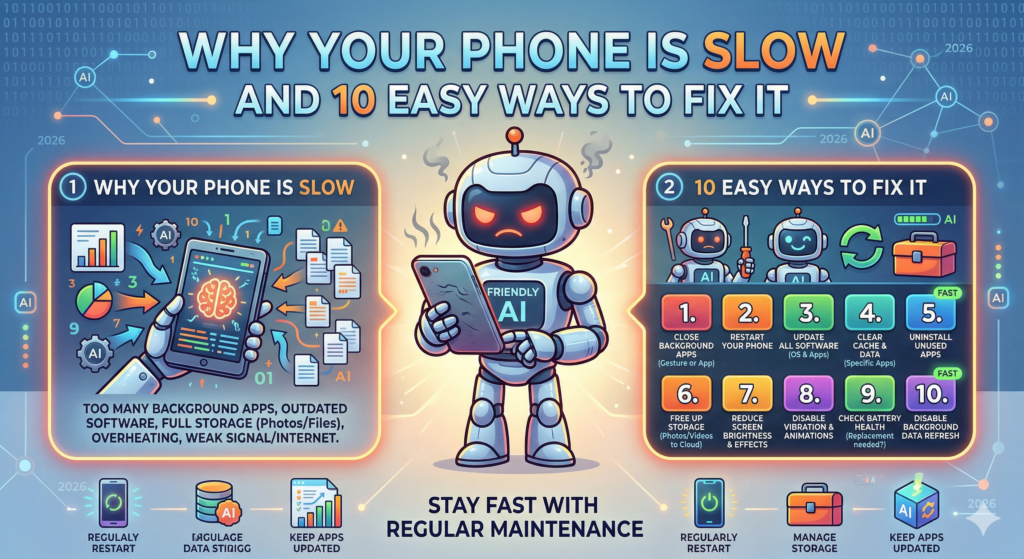
If you’ve ever found yourself tapping your phone in frustration as it lags while opening apps or switching between tasks, you’re not alone. Many of us rely heavily on our smartphones for everything from communication to entertainment, so encountering slow performance can be incredibly annoying. A slow phone can hinder your productivity and disrupt your daily routine. In this article, we’ll delve into why your phone is slow, explore various reasons behind the sluggishness, and provide 10 easy ways to fix it. Whether you’re working on an Android phone or an iPhone, there are actionable steps you can take to enhance your device’s speed.
Let’s explore the culprits behind a sluggish phone experience before jumping into the fixes that will get your device running smoothly again!
Importance of Fixing a Slow Phone
Having a slow phone affects not just your productivity but also your overall user experience. Here are a few reasons why addressing this issue is crucial:
- Increased Productivity: A faster phone allows you to multitask, respond to messages promptly, and access information without delays. Every second counts in our busy lives!
- Better User Experience: A swift device contributes to smoother interactions, whether you’re scrolling through social media, gaming, or simply browsing the web. A positive experience encourages you to use your phone more and enjoy its features.
- Extended Device Life: Keeping your phone running smoothly can help it last longer. Performance issues often arise from software glitches and heavy data usage, which can lead to wear and tear. By fixing these issues, you can maximize the lifespan of your device.
Now, let’s dive into the main content and explore ten effective solutions to speed up your phone!
10 Easy Ways to Fix a Slow Phone
1. Restart Your Phone
Restarting your phone is one of the simplest yet most effective solutions to resolve sluggishness. When your phone has been running for an extended period, it accumulates temporary files and data that slow down performance.
Tip: Make it a habit to restart your phone once a week. This helps clear the cache and memory, ensuring your device runs more smoothly.
2. Clear App Cache
Over time, apps store temporary files in their cache to help them load faster. However, excessive cache files can bog down your phone. Clearing the app cache can free up space and speed things up.
How to Do It:
- For Android: Go to Settings > Apps > [Select Your App] > Storage > Clear Cache.
- For iPhone: Unfortunately, iOS doesn’t allow clearing cache directly. You might need to uninstall and reinstall large apps.
3. Uninstall Unused Apps
If your phone is cluttered with apps you rarely use, it could be affecting performance. Each app, even when not in use, drains resources in the background.
Quick Tip: Reassess your apps and uninstall those that don’t bring you value. This can free up storage and enhance performance significantly.
4. Update Your Operating System
Operating system updates not only bring new features but also fix bugs and improve performance. Running an outdated OS can lead to slowdowns.
How to Update:
- For Android: Go to Settings > System > System Update.
- For iPhone: Go to Settings > General > Software Update.
5. Disable Animations
Animations and transitions between screens can look great, but they can also slow down your device. Disabling animations can lead to a more responsive experience.
How to Do It:
- For Android: Enable Developer Options under Settings, then find and disable Window Animation Scale, Transition Animation Scale, and Animator Duration Scale.
- For iPhone: Go to Settings > Accessibility > Motion, then reduce motion.
6. Free Up Storage Space
A cluttered storage drives your phone’s performance into the ground. When storage is nearly full, your phone struggles to operate efficiently.
Solution: Regularly check and clean your storage. Delete old photos, videos, and apps you no longer use. Consider using cloud storage for photos and documents to declutter your device.
7. Limit Background Processes
Some apps continue running in the background, using up system resources and slowing down your phone. Limiting background app activity can free up resources and improve performance.
How to Do It:
- For Android: Go to Settings > Apps > [Select Your App] > Battery > Background restriction.
- For iPhone: Go to Settings > General > Background App Refresh and toggle it off for unnecessary apps.
8. Use Lite Versions of Apps
Many popular apps offer ‘Lite’ versions designed to use fewer resources while retaining essential features. These lighter versions consume less memory and bandwidth, leading to a snappier experience.
Examples: Facebook Lite, Twitter Lite, and Messenger Lite can replace their full versions without sacrificing much.
9. Reset Network Settings
If you notice slow performance when using the internet, resetting your network settings might help. This can resolve any connectivity issues you’re facing.
How to Reset:
- For Android: Go to Settings > System > Reset options > Reset Wi-Fi, mobile & Bluetooth.
- For iPhone: Go to Settings > General > Reset > Reset Network Settings.
10. Factory Reset as a Last Resort
If your phone continues to slow down despite trying the above steps, a factory reset might be necessary. This restores your device to its original settings, eliminating any lingering software issues.
Caution: Don’t forget to back up your data before performing a factory reset, as it will erase everything on your device.
FAQ Section
1. Why is my phone slow even after updates?
Sometimes updates can cause temporary slowdowns, especially if your device is low on storage or RAM. Check for additional app updates or clear cache after an OS update.
2. How often should I restart my phone?
Restarting your phone once a week is adequate to keep it running smoothly.
3. Can too many apps slow down my phone?
Yes, each app uses system resources. Having too many apps can overload your device and reduce performance.
4. Is it advisable to use battery-saving modes?
Using battery-saving modes can help extend battery life but might restrict app performance. Use them selectively based on your needs.
5. What if my phone is still slow after these fixes?
If you’ve tried all these tips and your phone remains slow, consider visiting a professional for a hardware check or considering a device upgrade.
6. How can I tell if an app is causing slow performance?
If your phone slows down dramatically after installing a specific app, that app might be the issue. Uninstall it and monitor your phone’s performance.
7. Will factory resetting my phone fix the speed?
Yes, a factory reset can resolve deep-seated software issues causing slowdowns, but it should be your last option after trying other fixes.
Conclusion
Dealing with a slow phone can be incredibly frustrating, but there are plenty of effective solutions at your fingertips. From simple steps like restarting your device and clearing cache to more significant measures such as a factory reset, you have the power to enhance your phone’s performance.
Remember, technology should simplify our lives, not complicate them; following these tips can restore the speed you once enjoyed. Which of the solutions will you try first? Take action now, and enjoy a more responsive smartphone experience!
Also read: Android vs iPhone: Which One is Better for You in 2026?
By employing these strategies and taking proactive steps, you can transform your sluggish smartphone into a device that works efficiently and effectively, enhancing your overall digital experience.
Leave a Reply to Protect Phone from Hackers in 2026: 10 Ways – techsawai.com Cancel reply